4. API
Task
To begin your practical API assignments, you'll first need to set up your environment. This includes downloading and installing Postman — a popular and user-friendly tool for sending and testing API requests. Once installed, make sure that the server is up and running and that you can successfully receive a response from it.
Please follow the setup instructions below to install Postman and verify that the API is accessible. Use the provided base URL to send a simple request and confirm that you get a status code 200 response, indicating that everything is working correctly.
After completing all setup steps, click the ‘Let’s go!’ button and proceed to the assignment page to start sending your own API requests and exploring the available endpoints.
Instructions
- Go to the official Postman website https://www.postman.com/downloads/.
This is the official source where you can safely download Postman. - Download and install Postman. Choose the installer that matches your operating system (Windows, macOS, or Linux) and download it. Once the file is downloaded, run the installer and follow the setup instructions on your screen.
- Create a Postman account. After installation, open Postman and sign up for a free account. Having an account allows you to save your collections, requests, and workspace settings — which makes your work much easier.
- Go to the https://api.realbugz.com/docs.
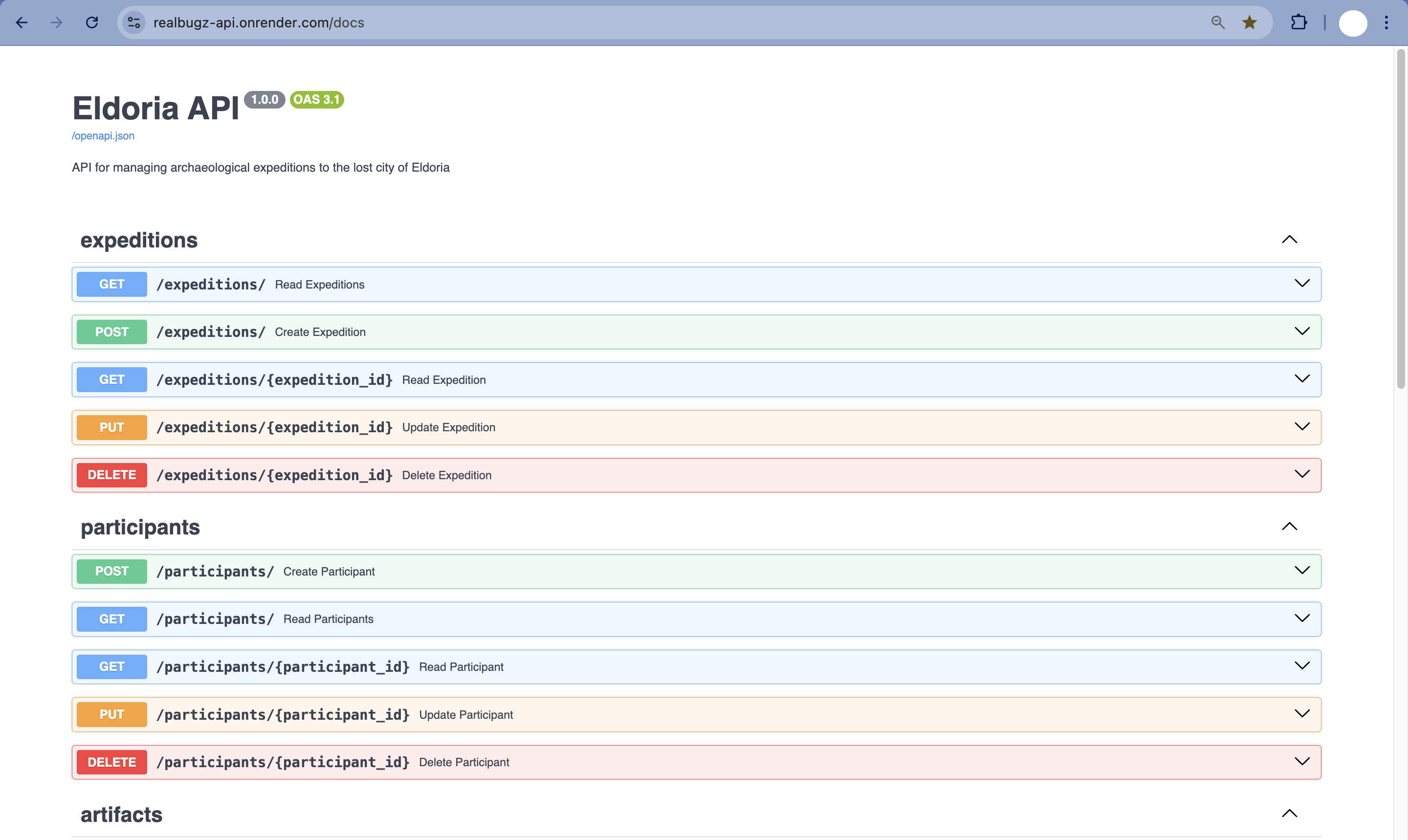
- Using the base URL https://api.realbugz.com, send a simple GET request.
You should receive the following response with a status code 200: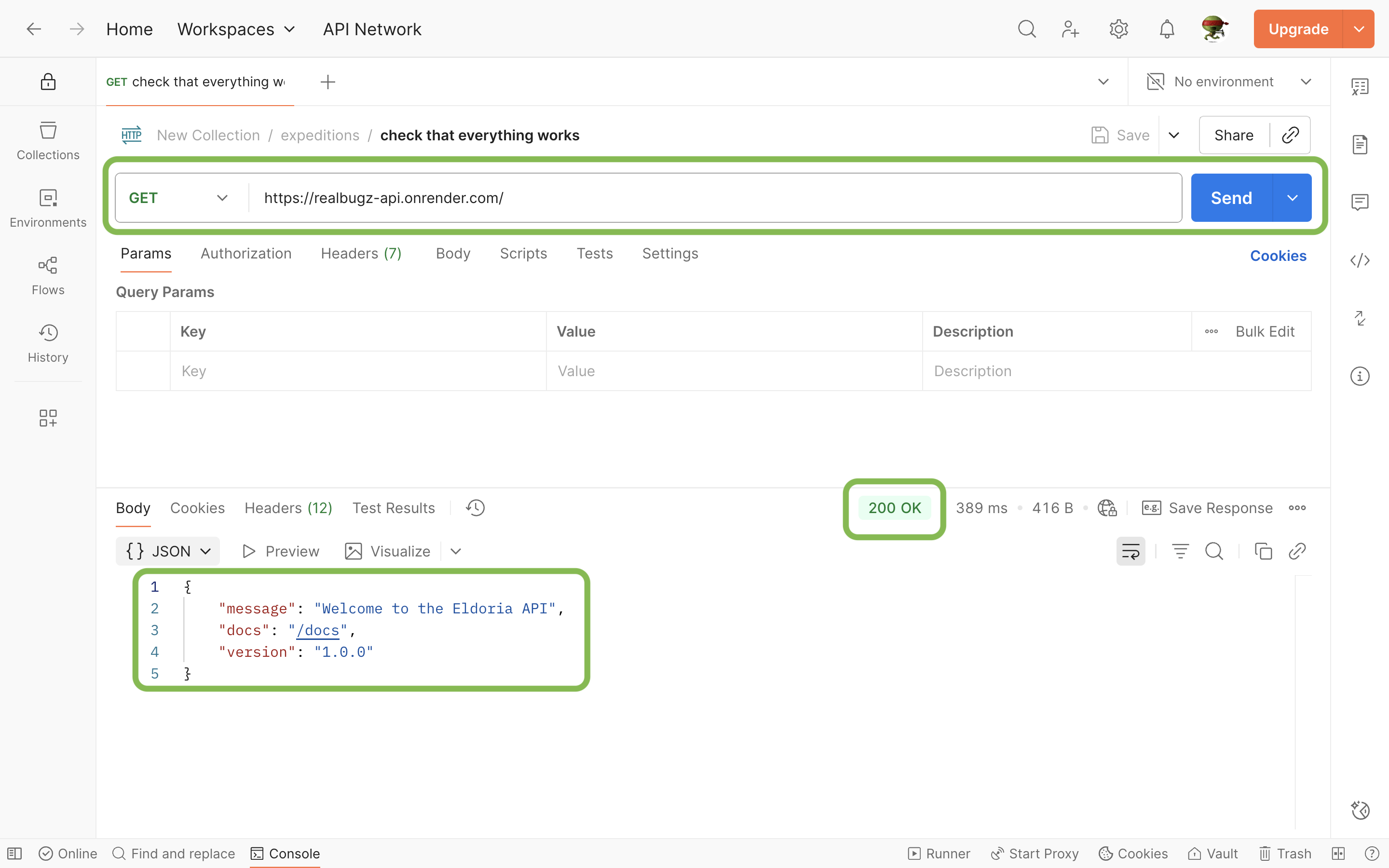
- You’re ready to go! Once everything is set up, study the API documentation from point 4, click on the 'Let's go!' button below and try to send the API requests described in the task.
Notice:
Solutions to all tasks are contained in the collection file on the task page. We recommend that you first try to send an API request yourself. Refer to the provided answers only if you're unable to progress after 15-20 minutes.
Some of the API endpoints available in this assignment include public delete methods. Please create, use, and delete only the data that you have personally created. Do not interfere with other users’ work or remove data that does not belong to you.
Thank you for being respectful and helping keep the shared environment stable for everyone! 🙏